Customize your notification templates
In Notifyr - Notifications for Bitbucket, templates are used to send notifications when specific actions occur.
These templates are based on the Pebble Templates, which can be customized to fit your organization's needs.
Prior to version 10.0
Notifyr versions prior to 10.x are based on the Jtwig template language, which can be customized to fit your organization's needs.
Available Templates
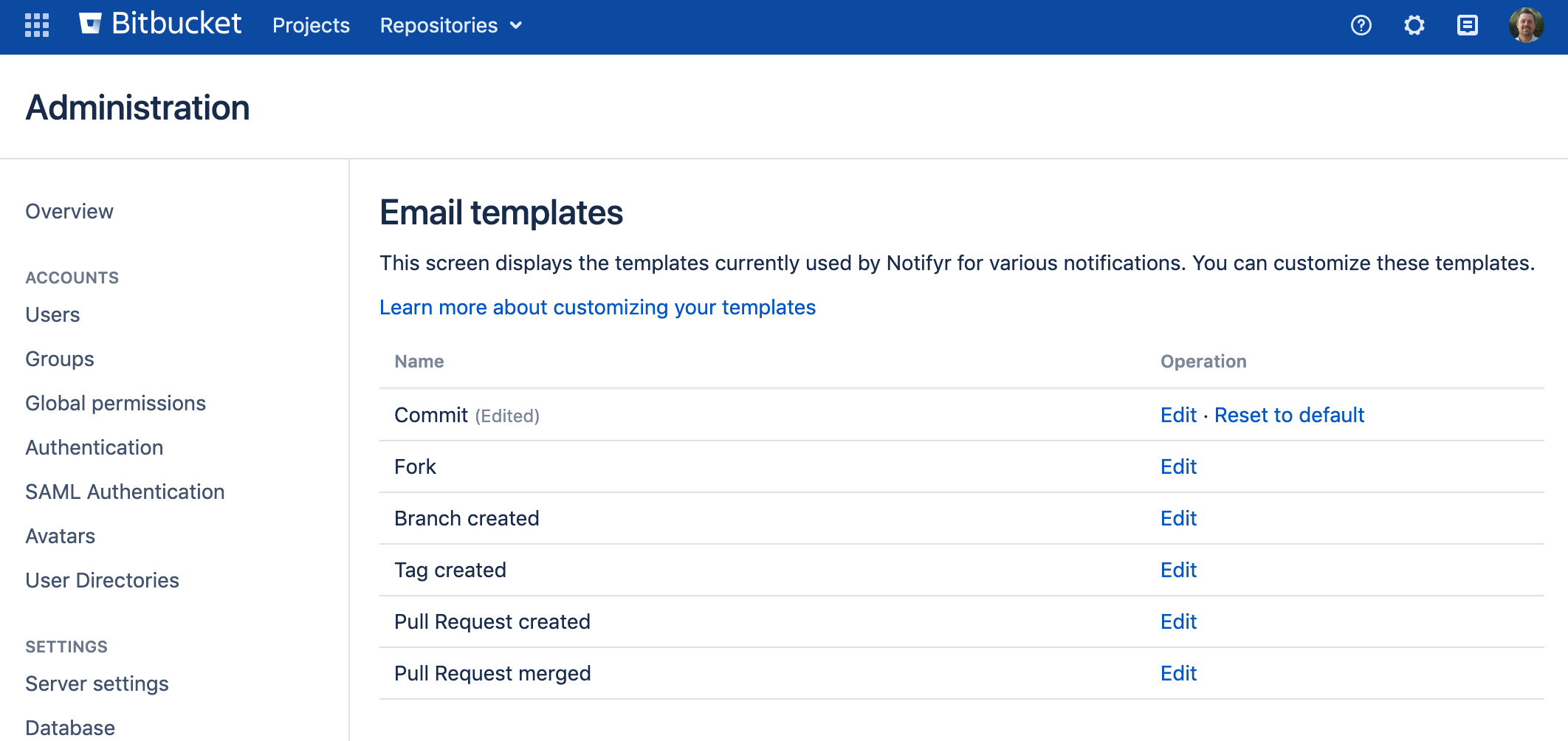
The following templates are available in Notifyr
Template | Description / Action |
|---|---|
Commit | Used when code has changed via a push or the Bitbucket file editor. |
Fork | Send when a repository has been forked |
Branch Created | Used when a new branch is created within a repository |
Tag Created | Used when a new tag is created within a repository |
Pull Request Created | Send when a new Pull Request is created |
Pull Request Merged | Send when a Pull Request has been merged into the branch or repository. |
Editing a template
Go to Administration → Email Templates (under the Notifyr heading)
Choose Edit for the template you want to edit
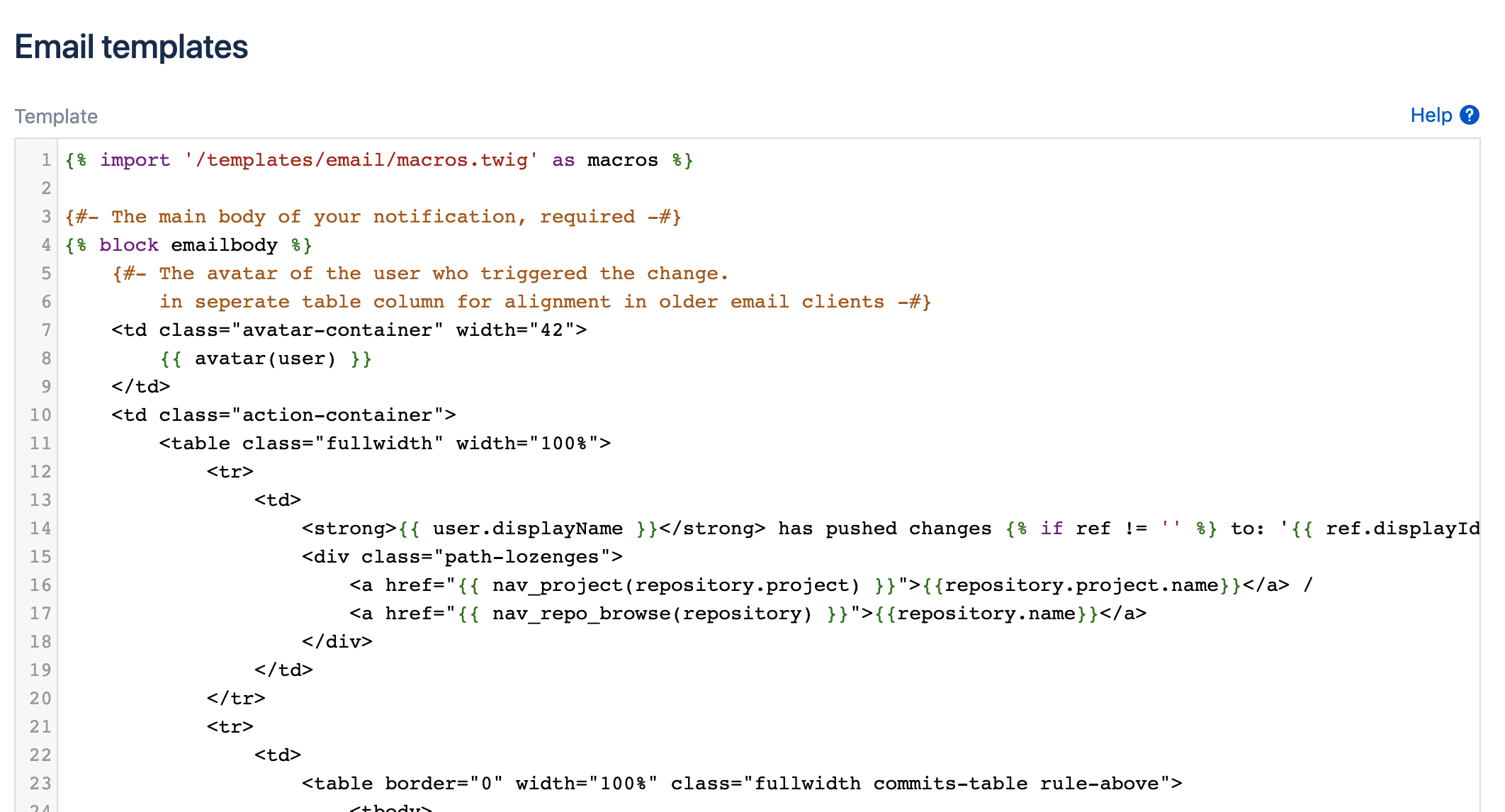
An editor with syntax highlighting can be used to change your templates
Click Save to save your changes.
Template variables and functions
There are several variables and functions available for you to use in your templates
Variables
Variable | Description |
|---|---|
user | The ApplicationUser who has triggered the event. ie. Created a new Pull Request or Pushed changes. Context: All |
repository | The Repository that triggered the event. For Pull Requests use the pullRequest variable. Context: All |
showDiff | A boolean (true/false) that indicates if the receiver of the notification wants a diff included. Context: All |
commits | A list of EmailCommits in, or affected by, the event. The list is limited to 20 commits. Context: Commit, Pull Request merged |
totalCommits | The total number of commits in, or affected by, the event. Context: Commit, Pull Request merged |
pullRequest | The PullRequest thas been created or merged. Context: Pull Request created, Pull Request merged |
ref | The Branch or Tag can be used to display which Tag has been created or to which Branch, code has been pushed. Context: Commit, Branch created, Tag created, Pull Request created, Pull Request merged |
latestCommit | The latest EmailCommit in the Branch or Tag. It can be used to add some context to a newly created Tag. Context: Branch created, Tag created |
targetRepo | The Repository just created by the fork. Context: Repository fork |
The Available functions are subclasses of BaseTemplateFunction and can be found in the documentation.